Modes and visual examples
These images are Rich SVG exports from real Robot executions using a local HTTP
API, fictitious data, and --console none. They are not screenshots of a CMD/PowerShell
window: they reproduce actual output at a fixed width of 100 columns.
The final font and colors may vary depending on your terminal.
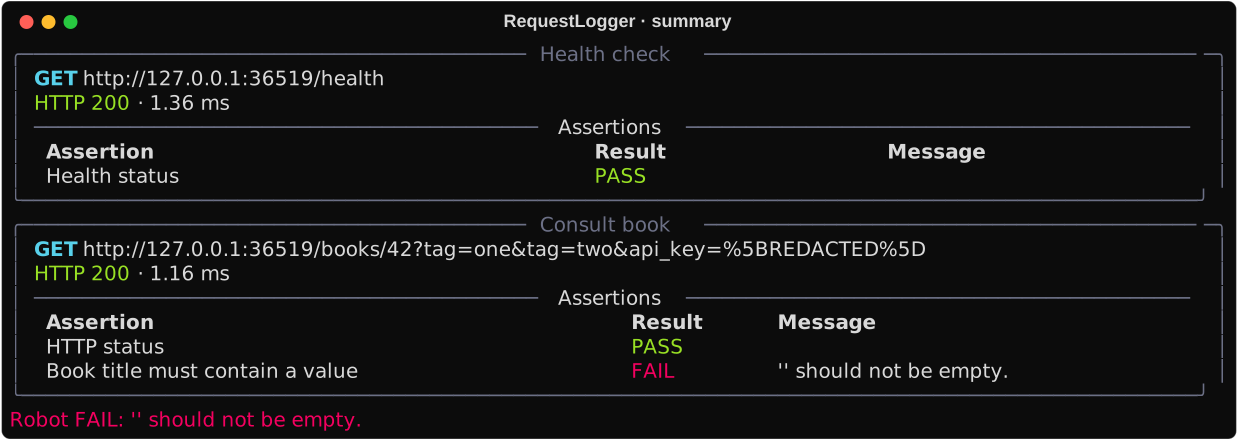
Method, protected URL, status, duration, and recorded results.
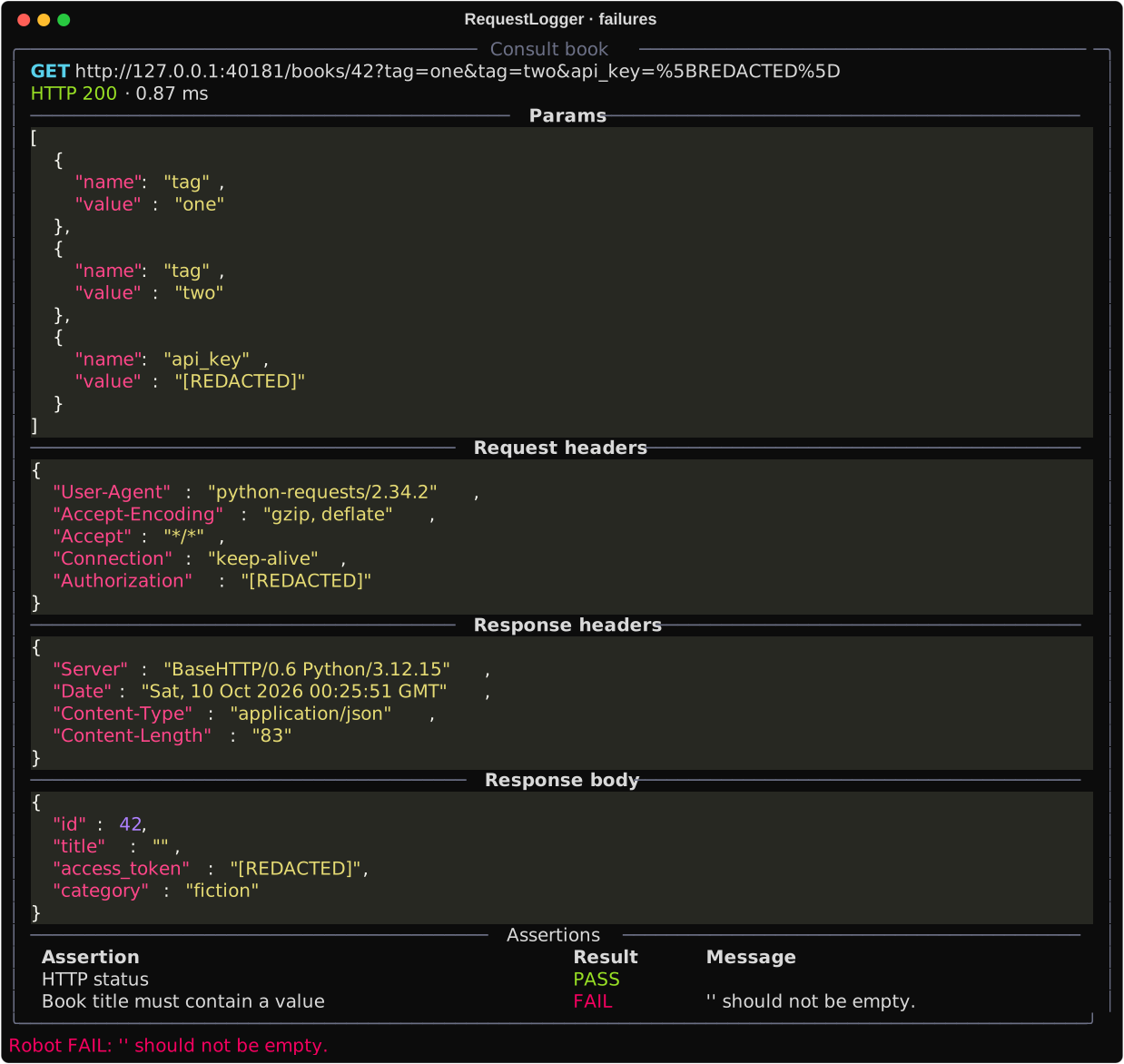
Full details for exchanges with FAIL assertions or recorded errors. An expected 404 with a PASS assertion does not appear solely because of its HTTP code.
All exchanges: repeated params, headers, and complete bodies.
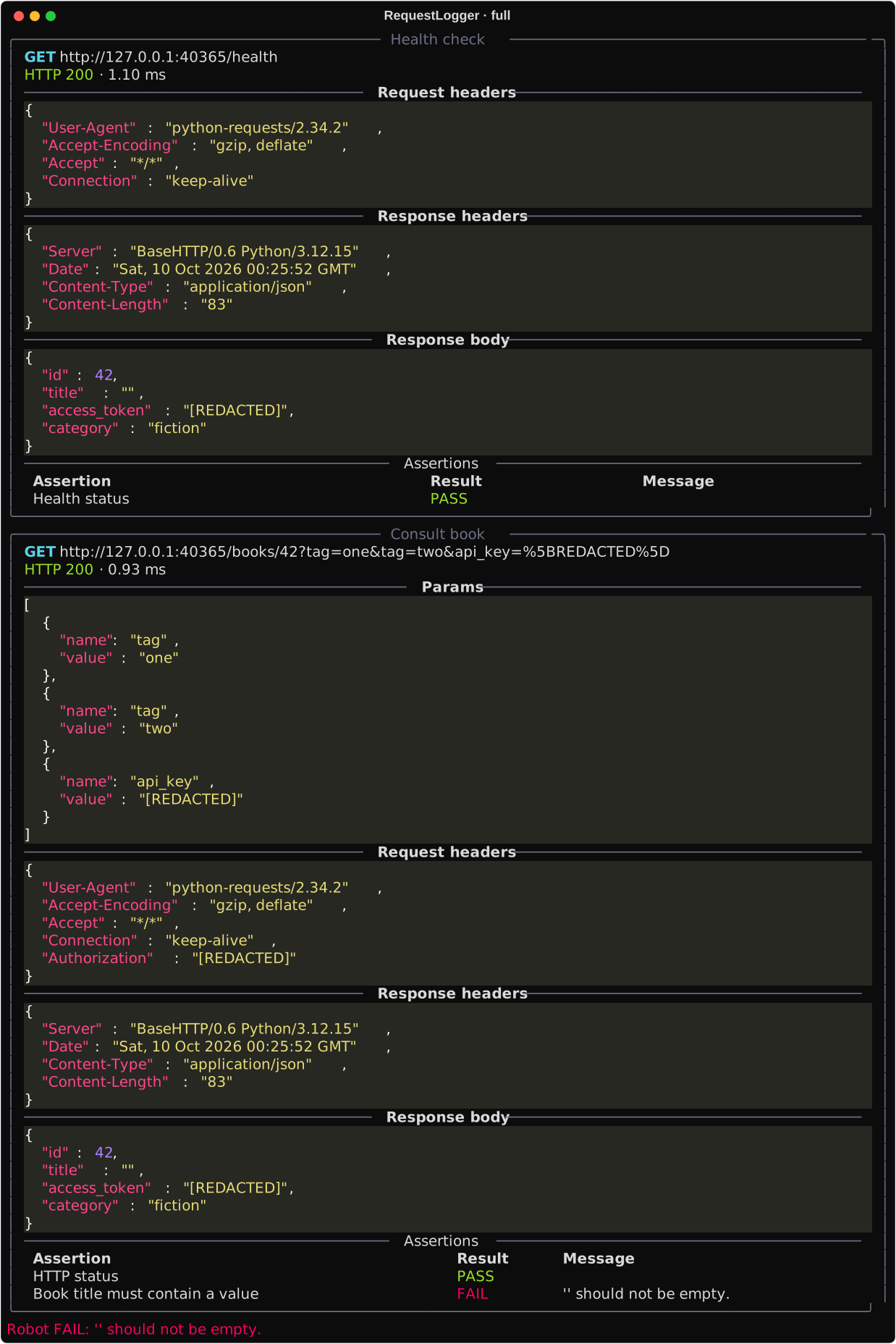
The example fails intentionally
A passing health check is recorded first; then the service returns HTTP 200 and an empty book title. The test records a PASS assertion for the status and a FAIL assertion for the title, then propagates the failure. Robot's exit code is 1. The reproducible source is tests/visual.robot in the repository.
Keep Robot's console
This is the usual approach. The library works without quiet/none. --console quiet
reduces Robot output but keeps its errors and warnings. --console none suppresses
its console, without suppressing output.xml/log.html/report.html or changing exit codes.
Other libraries can still print directly. RequestLogger also displays the final native
FAIL/SKIP message, even when the test failed before recording HTTP traffic.
Compare JSON palettes separately in Themes.
[{"name": "English", "lang": "en", "link": "/robotframework-request-logger/console/", "fragments": {"modes-and-visual-examples": "modes-and-visual-examples", "keep-robots-console": "keep-robots-console"}, "current": true}, {"name": "Espa\u00f1ol", "lang": "es", "link": "/robotframework-request-logger/es/console/", "fragments": {"modes-and-visual-examples": "modos-y-ejemplos-visuales", "keep-robots-console": "conservar-la-consola-de-robot"}, "current": false}]