01
Request
GET
/books/42api_key=[REDACTED]
Sensitive data protected in the output.
Requests, responses and assertions in your Robot console.
/books/42api_key=[REDACTED]
Sensitive data protected in the output.
{ "title": "" }
The service responded. The title is empty.
Book title must contain a value
The test records the failed assertion.
http://127.0.0.1:36519/books/42?tag=one&tag=two&api_key=%5BREDACTED%5DA fictional book test case with an intentional failure. Actual output from the same test is below.
Summary
A compact view of every exchange.
Failures
Focus on the operations associated with recorded failures.
Full
Read protected headers and bodies with JSON highlighting.
Start simple
mode=summary is the default. Keep Robot's usual console;
you do not need to change your execution command.
These images are Rich SVG exports from the project’s executable tests. The fictional book example returns HTTP 200 with an empty title; the test records a failing title assertion. Each tab shows the actual output.
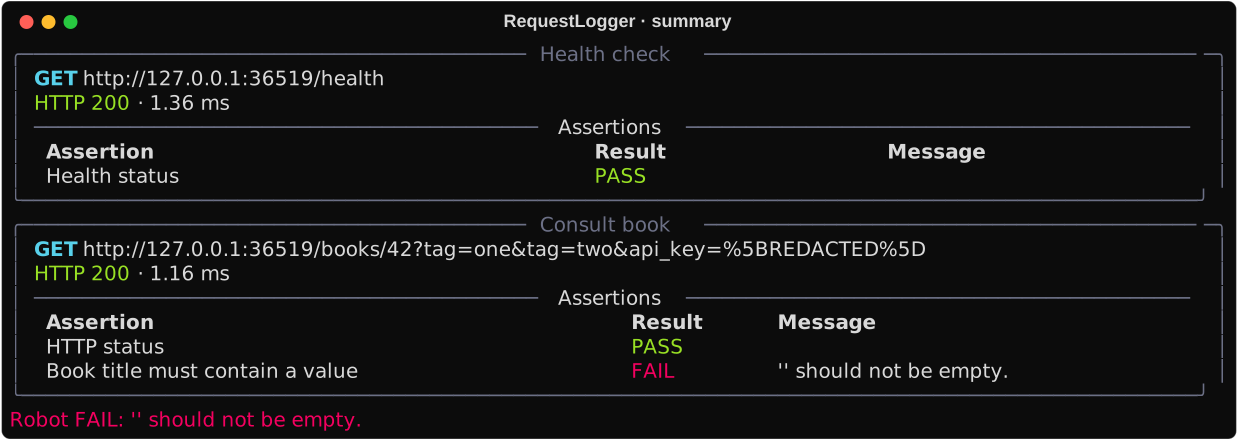
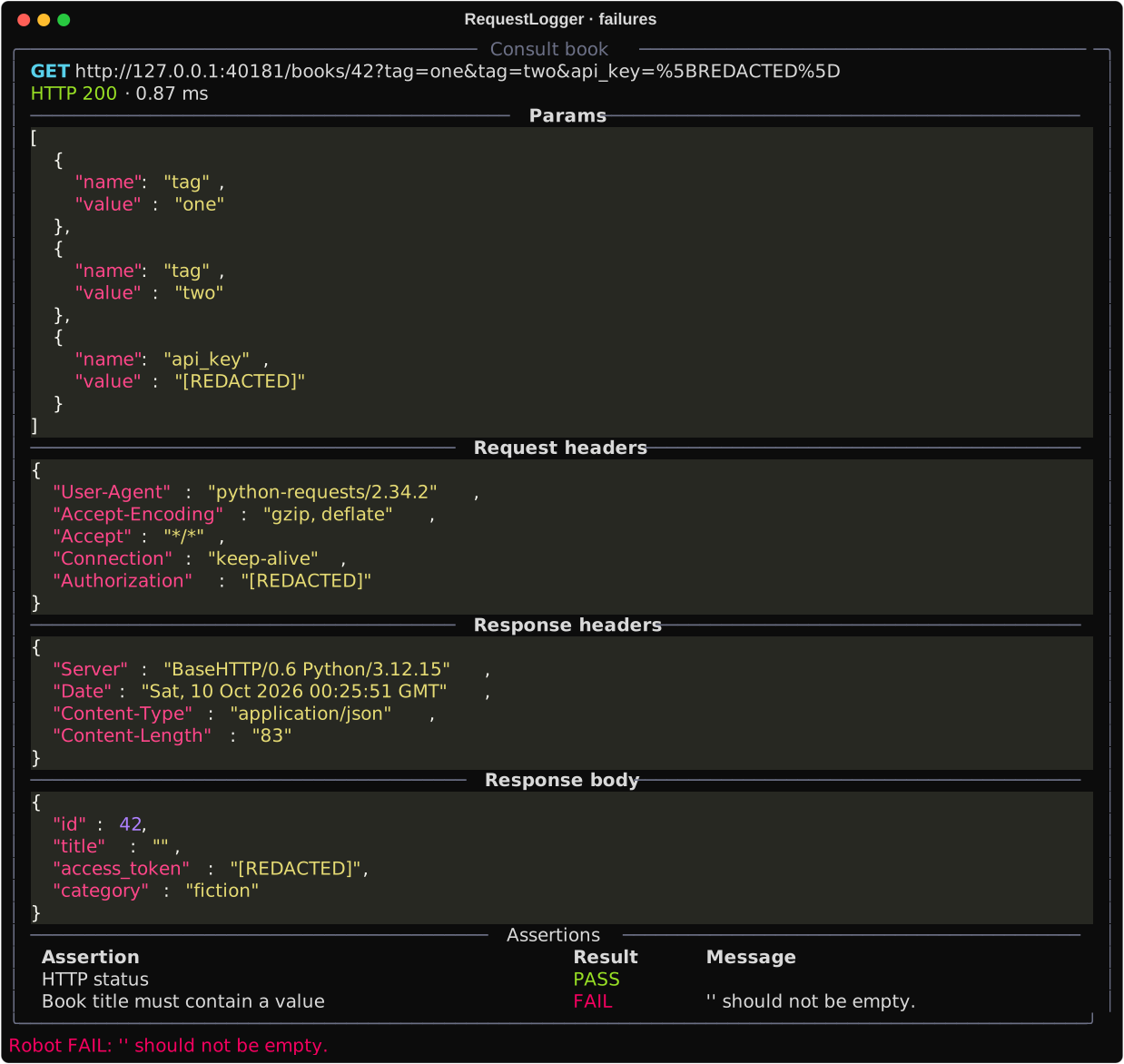
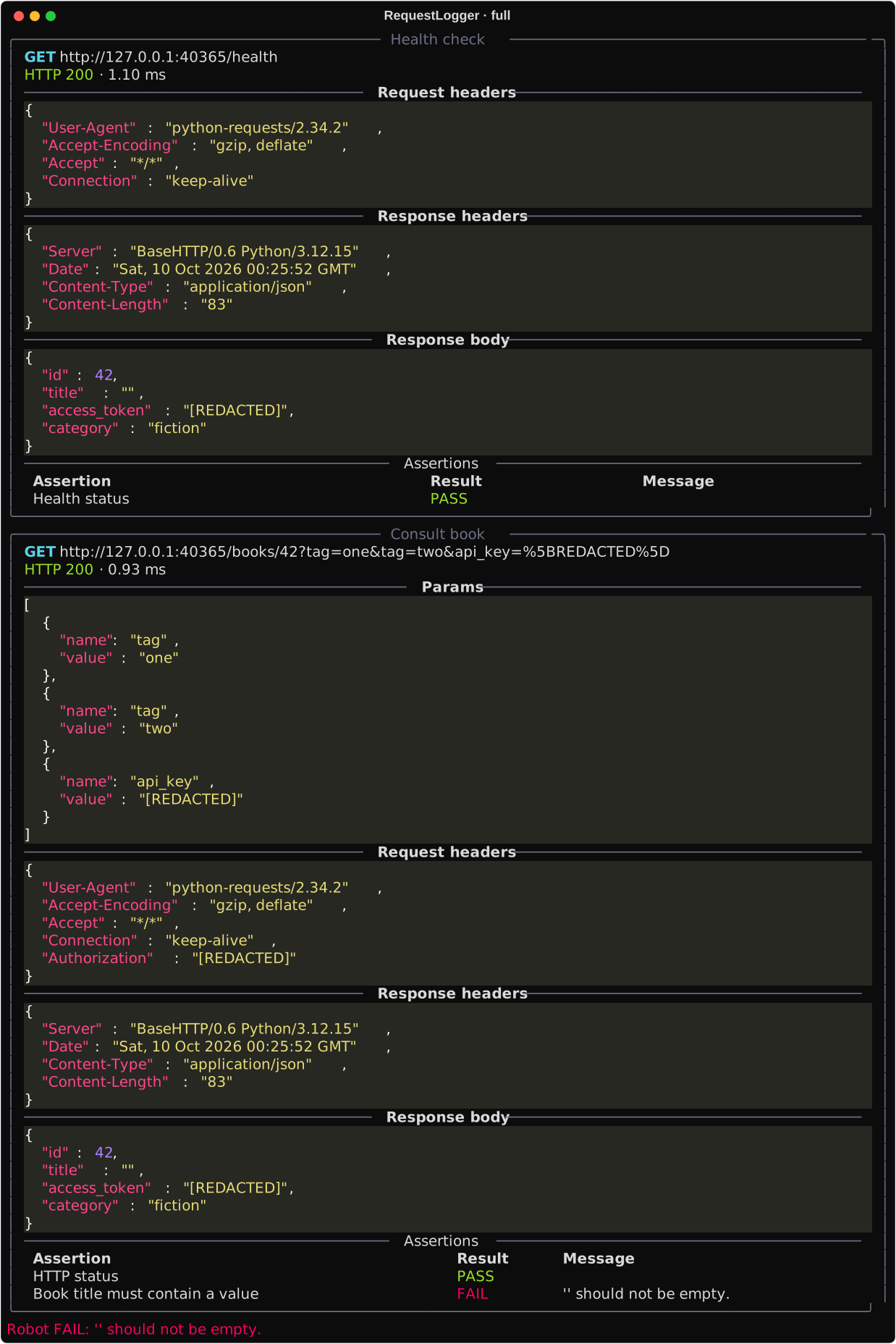
Output is printed when the test ends. Buffering allows failure filtering and applies known secrets across the entire test before any block is printed.
flowchart TD
    A[RequestsLibrary] --> B[Log Response]
    B --> C[Log Assertion Result]
    C --> D[Console]